 Flowdiff
Have confidence when you publish
FlowDiff compares your Webflow staging and production sites side by side, highlighting every visual difference. Catch broken layouts, shifted elements, and unintended changes before your clients do.
You know something changed. But do you know everything that did?
Webflow doesn't give non-enterprise accounts meaningful version control. Every publish is a leap of faith. You know something changed, but not exactly what.
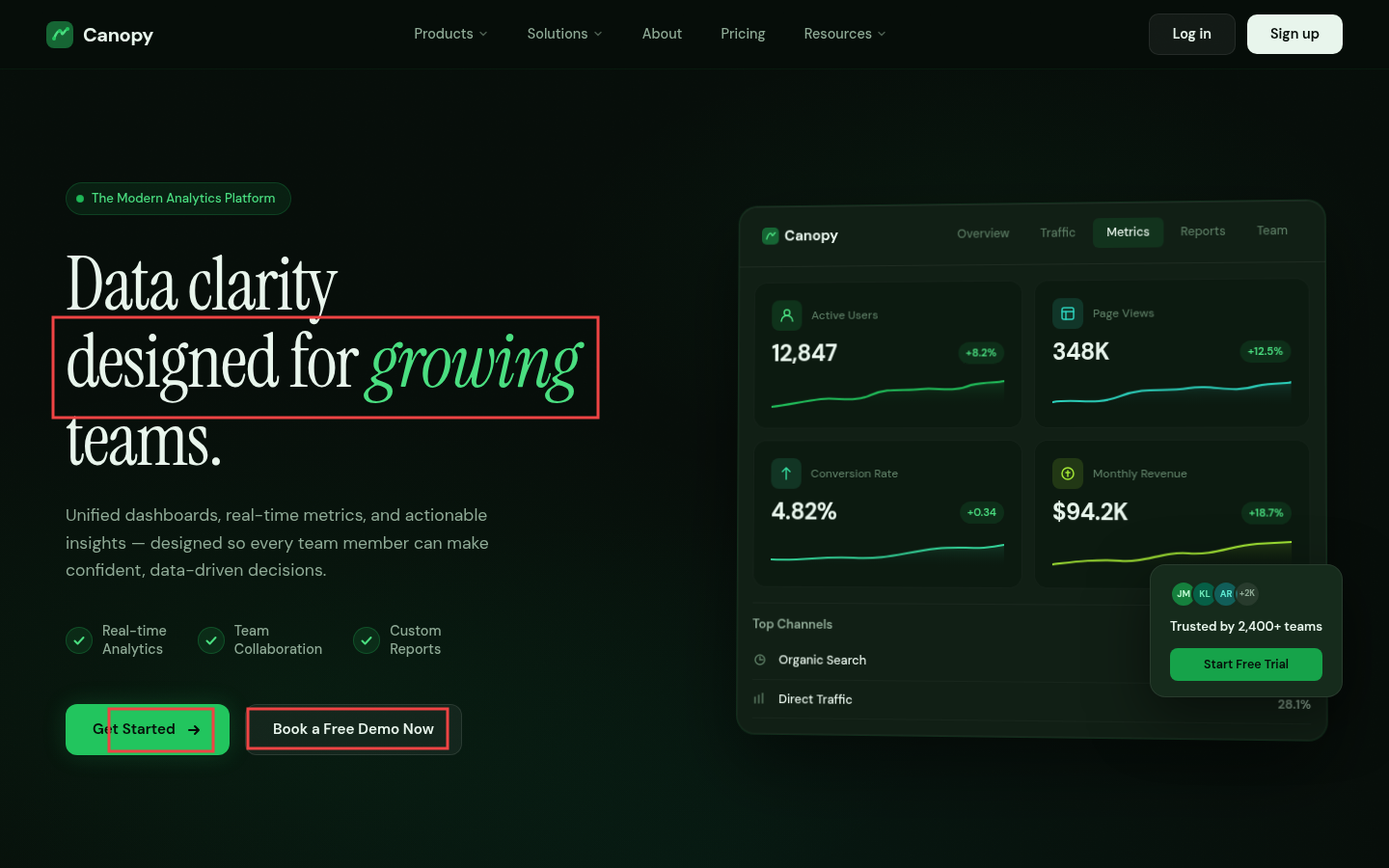
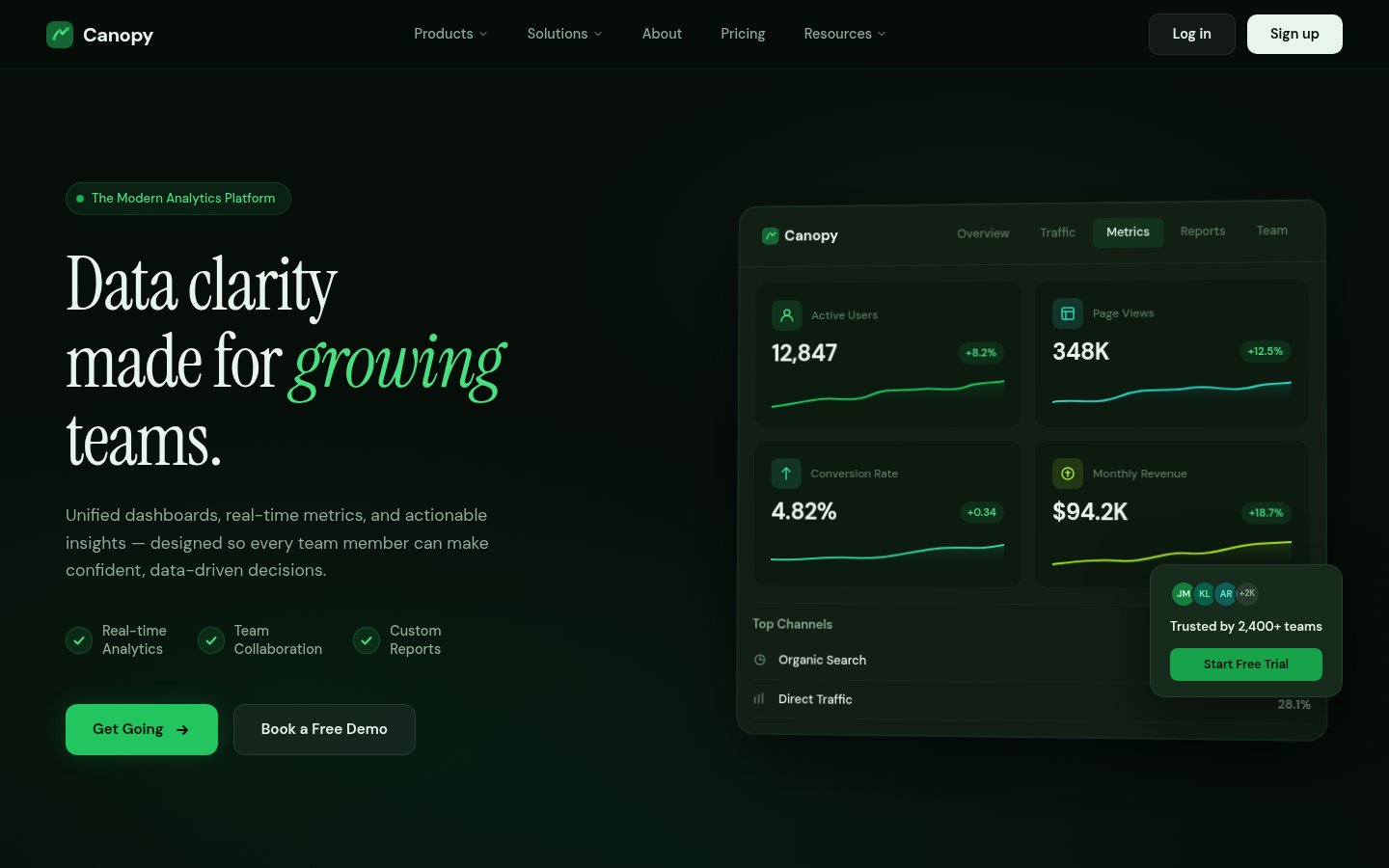
FlowDiff fills that gap. It shows you every visual change between your staging and production environments: styling shifts, layout differences, button tweaks, all caught before they turn into unexpected bugs your clients notice first.
Now you'll know exactly what changed.
Full-page screenshots of both environments. Pixel-level comparison. Red boxes around every single difference. Exact coordinates. Exact counts.
Not a vague “something looks different.” Exactly what changed. Exactly where. Every time you publish.
Everything you need. Nothing you don't.
Zero setup
No SDKs. No integrations. No yaml files. Paste two URLs and you're done.
Full-page captures
Not just the visible viewport. Every pixel from header to footer, at 1440px. The full picture.
Side-by-side views
Synchronized scrolling for a structured review.
Pixel-level precision
Powered by pixelmatch. Every changed region gets a red box with exact pixel counts and a mismatch percentage.
Adjustable sensitivity
Dial from 'catch every last pixel' to 'show me only the big stuff.' Tune it to match how you work.
Batch comparisons
Queue up your whole site before hitting publish. Home page, pricing, blog — all checked, all at once.
Pick your plan. Start shipping.
- 500 page comparisons/month
- Side-by-side diff viewer
- Synchronized scroll comparison
- Comparison history (30 days)
- Webflow animation support
- 2,000 page comparisons/month
- Side-by-side diff viewer
- Synchronized scroll comparison
- Comparison history (30 days)
- Webflow animation support
- Priority support
Stop publishing blind.
You built something great. Make sure it stays that way.
Questions, answered.
FlowDiff takes full-page screenshots of both your staging and production URLs — everything from the header to the footer at 1440px — and runs a pixel-level diff between them. You get a side-by-side view with red boxes drawn around every region that changed.
Nothing at all. No SDKs, no browser extensions, no Webflow integrations. Paste two URLs and FlowDiff handles the rest — screenshots, comparison, and diff highlights all run in the cloud.
FlowDiff waits for the page to settle before capturing, so most Webflow interactions — scroll-triggered reveals, hover states, page-load animations — finish before the screenshot is taken and never trigger a diff. The one exception is endless-loop animations like auto-playing carousels and marquees, which can occasionally produce a false positive since the slide on screen at capture time may differ between staging and production. Outside of those, animations rarely cause noise.
Yes. The screenshot engine waits for the page to fully settle — lazy-loaded images, fonts, and animations are given time to complete, and common cookie/consent banners are automatically dismissed before the capture.
You control it. The sensitivity slider lets you dial from ultra-precise (catches every 1-pixel shift) to relaxed (only flags meaningful visual changes). Useful when you want to ignore minor rendering differences between environments.
Yes. You can queue up as many URL pairs as you like and run them all in a single batch. Great for doing a full site check before a major publish.
FlowDiff works with any website that has a public or accessible URL — Webflow, Framer, custom builds, whatever. It's particularly useful for Webflow developers because the staging/production split is a core part of the Webflow workflow.